
BAY888 Philippines Guide: Start with the Member Center
Sa BAY888, we want users to understand the platform before they make a deposit or open a game. A proper start is not about clicking the first promotion you see. It is about checking your account details, understanding the Cashier, reading the rules, and knowing where to find support when something needs clarification.
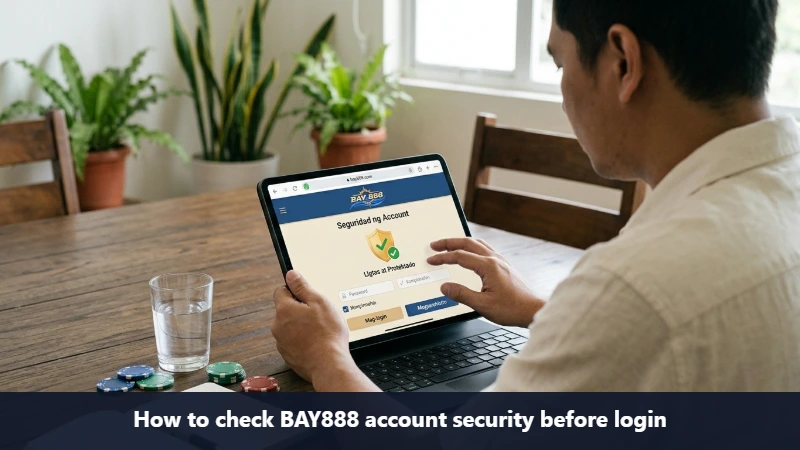
Before you sign in through nn777n.net, compare the address with the current BAY888 Member Center and do not rely on an old payment screenshot.
For Philippine users, the easiest flow is:
Create account → complete profile → open Member Center → check Cashier → review Transaction History → read Promo Center terms → choose a game.
Kung first time mo, huwag agad mag-send ng money after registration. Take a few minutes to check each section first. This helps you avoid wrong payment details, duplicate requests, or joining a promotion without reading the turnover condition.
What can you find inside the BAY888 Member Center?
The Member Center is the main control area of a BAY888 account. This is where users should check their profile, payment options, transaction records, promotions, support, and security settings.
Important platform sections include:
| Platform entity | What users should check |
| Profile | Mobile number, email, account name, password settings |
| Cashier | Deposit method, withdrawal method, current limits, order details |
| Transaction History | Deposit, withdrawal, bonus, and order status records |
| Promo Center | Eligibility, turnover, expiry date, game contribution |
| Game Lobby | Categories, providers, game rules, bet limits |
| Support Desk | Official contact channel and ticket information |
| Responsible Play | Budget, time limits, and account-control options |
Sa Profile section, make sure that your contact information is correct before you use the Cashier. If your registered mobile number or email is wrong, it can make account recovery or transaction checking harder later.
Registration form: what should users enter?
When creating a BAY888 account, use information that you can access and verify yourself.
| Form field | How to complete it safely |
| Mobile Number / Email | Use an active number or email that belongs to you |
| Password | Create a new password; do not reuse banking passwords |
| Confirm Password | Recheck before submitting the form |
| Promo Code | Enter only a code received from an official source |
| Terms Checkbox | Read the terms before agreeing |
| Verification Code | Use only codes sent to your own device |
Huwag ibigay ang Password, OTP, verification code, o full bank details sa chat. Even if someone says they are support, official account help should never require your password.
How does the BAY888 Cashier work?
The Cashier is where users create deposit and withdrawal requests. It is important to use the details shown on the current order, not a bank account, QR code, wallet address, or screenshot from an older transaction.
Before making a deposit, open the Cashier and check the following fields:
| Deposit field | Why it matters |
| Payment Method | Use only the method currently shown in your account |
| Deposit Amount | Enter the exact amount for the order |
| Currency | Confirm the currency before continuing |
| Recipient Details | Do not reuse old recipient information |
| Transaction ID | Keep this for payment verification |
| Order Status | Check whether the request is pending, completed, or needs review |
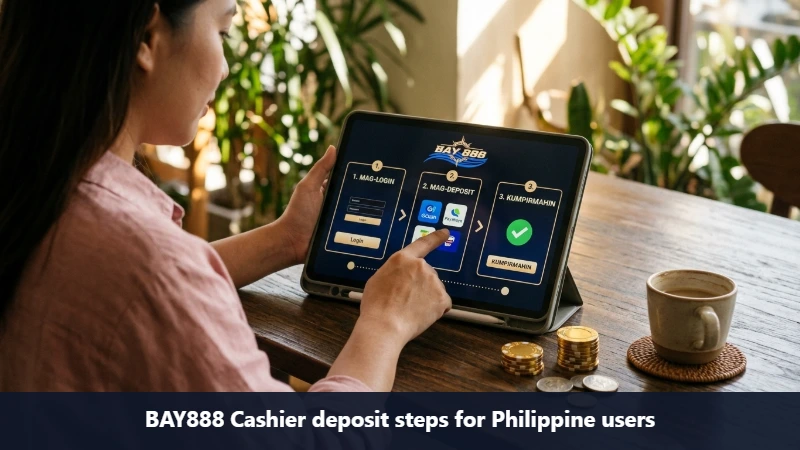
BAY888 deposit steps
- Open Member Center and choose Cashier.
- Select Deposit.
- Choose the payment method currently available on your screen.
- Enter the Deposit Amount.
- Create the order before sending any money.
- Check the recipient information shown for that exact order.
- Complete payment using the required details.
- Save the Transaction ID, amount, and time.
- Return to Transaction History to confirm the order status.
Kapag successful ang payment sa bank or e-wallet side, that does not always mean the order has already updated in the account. Check the Transaction History first. If it is still pending, do not immediately create a second payment order.
What should users check before withdrawing?
A withdrawal request should be made only after checking the current account status. BAY888 users should review the available balance, unsettled bets, active promotion requirements, receiving account details, and the withdrawal instructions visible in the Cashier.
Before submitting a withdrawal request, check:
- Is the balance marked as available?
- Are there unsettled games, bets, or transactions?
- Is there an active bonus with a turnover requirement?
- Is the receiving bank, e-wallet, or wallet information correct?
- Does the current page show a minimum, maximum, or fee?
- Have you saved the withdrawal order number?
Withdrawal form: information to verify
| Withdrawal field | What to do |
| Withdrawal Method | Choose the method shown in the current Cashier |
| Receiving Account | Confirm that the account belongs to you |
| Withdrawal Amount | Check the amount before submitting |
| Available Balance | Do not assume all account funds are withdrawable |
| Order Number | Save it for later checking |
| Current Status | Review it in Transaction History |
Kung pending pa ang request, huwag agad gumawa ng another withdrawal request. Open Transaction History and check the original order first. If you need help, prepare the order number, amount, date, time, payment method, and a screenshot with private details hidden.
Do not send your password, OTP, or full bank-login information to support. A proper transaction check should use the order record, not your private credentials.
How should users read BAY888 promotions and rules?
A promotion title is only a summary. The full terms explain what matters: who can join, how much can be claimed, what turnover applies, which games count, how long the offer lasts, and whether there are withdrawal restrictions.
Before joining any BAY888 promotion, check these questions:
- Who is eligible for the offer?
- Is there a minimum deposit?
- Is there a maximum reward amount?
- Is turnover calculated from the deposit, bonus, or both?
- Which games contribute to turnover?
- Is there an expiry date?
- Are there restrictions before withdrawal?
Sa Promo Center, do not focus only on the percentage. A high percentage does not automatically mean the offer is suitable for every user. Read the turnover requirement first. Kung hindi clear ang rules, better to wait and check before opting in.
Betting rules and account rules
Users should also read the rules of the specific game they open. This may include bet limits, settlement rules, void-bet treatment, time limits, and game-specific terms. A general explanation cannot replace the rules shown inside the actual game or current member page.
How do RTP and house edge help users understand games?
RTP and house edge are long-term game concepts. They do not predict the next spin, card, round, or result.
- RTP usually refers to a theoretical return over a large number of rounds.
- House edge refers to the mathematical advantage built into the game rules.
- Paytable explains payouts and game conditions for the specific game version.
For BAY888 game checks, look at the rule page and paytable inside the game you want to open. Do not assume that one RTP or house-edge figure applies to every category.
For example, baccarat can use different commission or payout rules depending on the table. Slots can use different game versions and paytables. Side bets may have different risk levels from the main game. Ang mahalaga ay basahin ang current game rules bago mag-place ng bet.
What should users review in the Game Lobby?
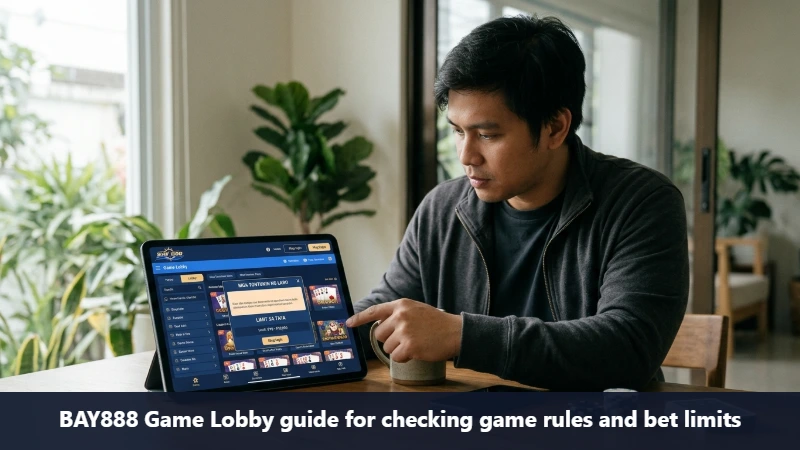
The Game Lobby should help users understand what is available before they enter a game. Instead of relying on a claimed number of games, check the actual categories, provider labels, filters, game descriptions, rules, and current bet limits.
A useful Game Lobby check includes:
| Game check | Why users should review it |
| Game category | Helps users find the type of game they understand |
| Provider name | Lets users identify the game source shown in the lobby |
| Game rules | Explains how the game works before a bet is placed |
| Bet limit | Helps users stay within a set budget |
| Paytable | Shows payouts and game conditions |
| Game status | Confirms whether the game can be opened normally |
Do not use a game because of a “hot” claim or a promise of a winning pattern. Game results are uncertain. Choose only games whose rules and limits you understand.
Is BAY888 easy to use on mobile?
Mobile access should be checked through the actions that matter, not only through the homepage. A good mobile test includes opening the login page, Member Center, Cashier, Transaction History, Promo Center, and Game Lobby.
When you switch from Wi-Fi to mobile data:
- Reopen the account page.
- Check Transaction History.
- Confirm the status of any existing deposit or withdrawal request.
- Refresh the game only after checking whether a previous action was recorded.
- Do not repeat a payment or withdrawal request just because the page reloads.
Sa mobile, a short delay does not always mean the action failed. Check the record first. This is especially important when a payment, withdrawal, or game action is still processing.
How can users contact BAY888 Support safely?
Use the support route shown inside the current Member Center or official entry page. Before opening a ticket, prepare clear information so the issue can be reviewed using one transaction record.
Support ticket format
| Information | Example of safe detail |
| Account ID | Your account username, not your password |
| Issue Type | Deposit pending, withdrawal status, login issue |
| Order Number | The reference from Transaction History |
| Amount | Exact amount shown on the order |
| Date and Time | When the request was created |
| Screenshot | Hide OTP, password, full bank details, and ID numbers |
Example message:
Hi Support, I would like to check my withdrawal order. My account ID is [username], Order Number is [order number], Amount is [amount], and the request was submitted on [date/time]. The status currently shows [status]. I attached a screenshot with sensitive details hidden.
This format makes it easier for support to identify the correct record. Huwag mag-open ng maraming chat tickets for the same order unless the official support team asks you to do so.
Responsible Use
BAY888 should only be used by people who meet the legal-age and local-law requirements where they live. Set a personal entertainment budget before using the Cashier or Game Lobby. Do not treat promotions, RTP, bonus offers, or previous results as income.
Kung napapansin mong lumalagpas na sa budget or oras mo ang activity, stop first. Review your account settings, take a break, and use available responsible-play controls where applicable.
FAQ
1. What should I do before making my first deposit?
Complete your profile, open the Cashier, create a current order, check the payment details, and save the Transaction ID.
2. Why should I not use an old payment screenshot?
Recipient details, limits, and payment methods can change. Use only the details shown on the order you just created.
3. Can I withdraw immediately after joining a promotion?
Check the promotion terms first. A turnover, expiry, or game-contribution rule may apply.
4. Does RTP tell me what will happen in the next game?
No. RTP is a long-term theoretical figure, not a prediction for the next result.
5. What should I send to Support?
Send the account ID, order number, amount, date, time, current status, and a redacted screenshot. Never send Password or OTP.
Conclusion
Sa BAY888, the best user habit is to verify before acting. When you use nn777n.net as the intended website reference, still confirm the current Member Center and Cashier details before every transaction. Save every order reference, read promotion terms fully, and understand game rules before playing. A clear record, a controlled budget, and careful mobile use will help users manage their account more safely and avoid unnecessary transaction mistakes.